
Service Van Readiness Kit
Vehicle inspection checklist and accident kit for HVAC, plumbing and electrical service vans.
Seven forms in Word to edit and as PDFs to print, plus every form filled in for a made-up company.
$12.00
Buy nowPay once. No subscription.
If a file won't open, won't work on your computer or Microsoft plan, or isn't what the page described, we fix it or refund you, your choice. Tell us within 14 days of your purchase.
Questions? Email support@tightshiphq.com
- To print: a PDF reader and a printer. Letter size (8.5 x 11 in).
- To edit: Microsoft Word (.docx).
How you use it
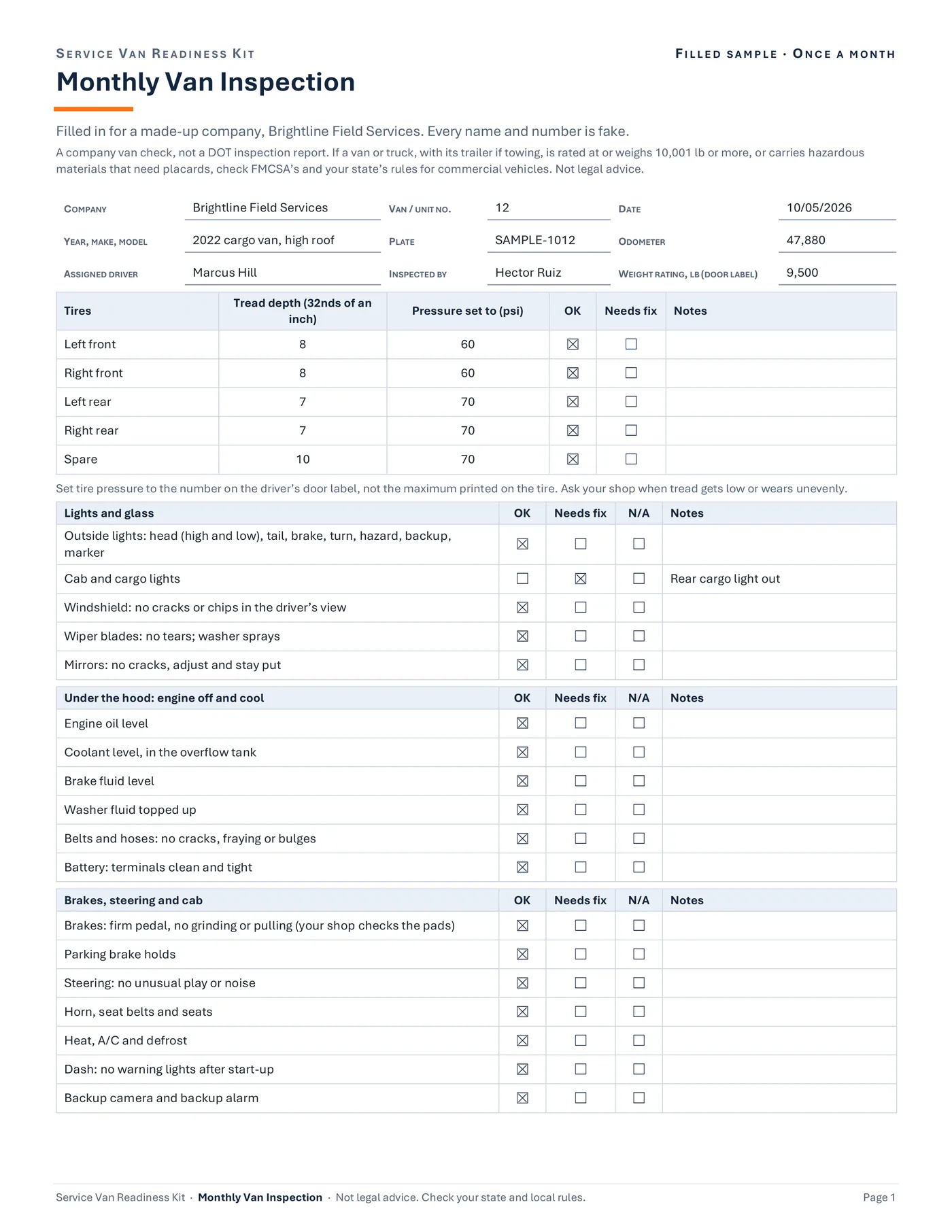
FILLED SAMPLE · ONCE A MONTH
Monthly Van Inspection
Sample data
- VAN / UNIT NO.
- 12
- DATE
- 10/05/2026
- ASSIGNED DRIVER
- Marcus Hill
- INSPECTED BY
- Hector Ruiz
Tread depth (32nds of an inch)
Step 1. Look through the Filled Samples.
Filled Samples (PDF, 14 pages): every form filled in for a made-up company.
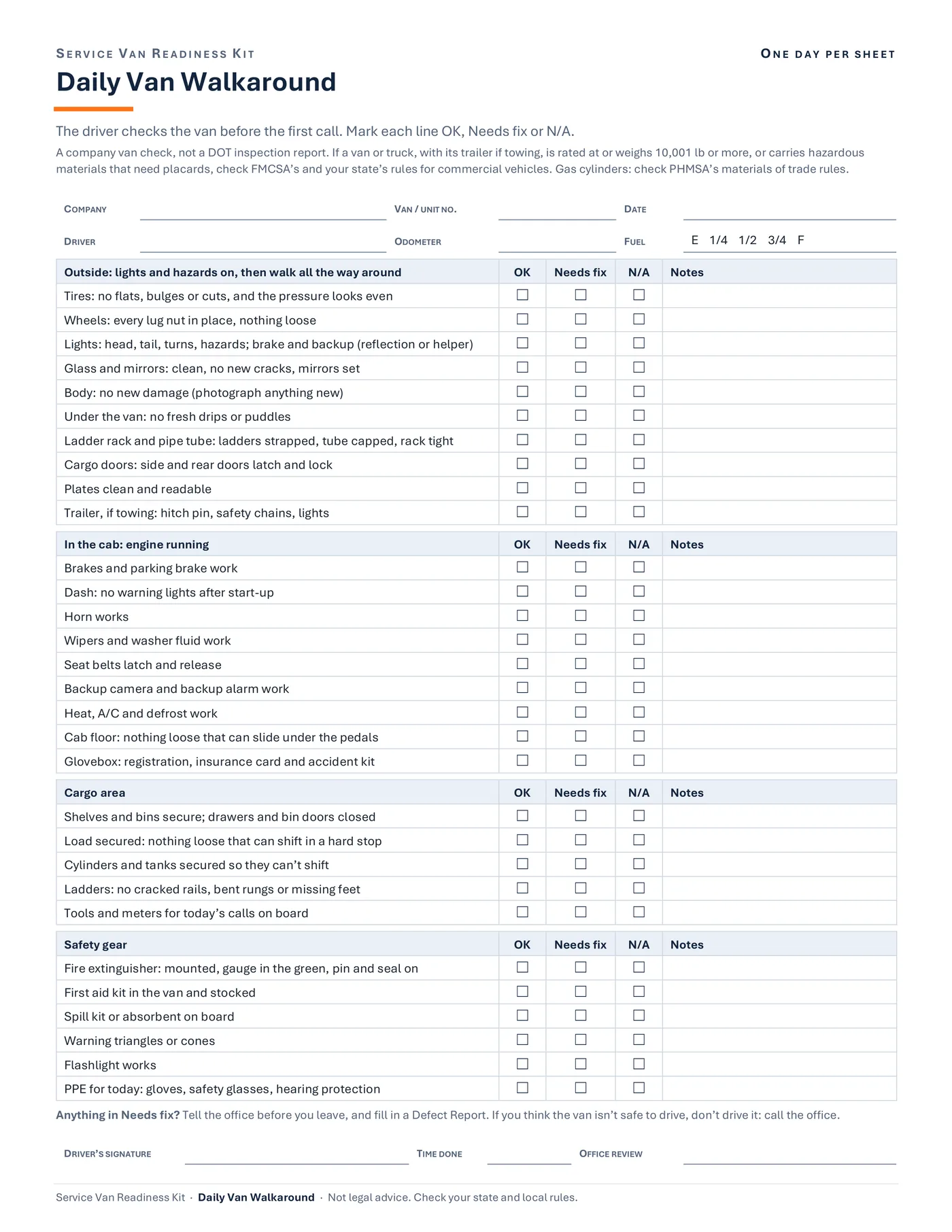
ONE DAY PER SHEET
Daily Van Walkaround
Sample data
- COMPANY
- VAN / UNIT NO.
- DATE
- DRIVER
- ODOMETER
- FUEL
- E 1/4 1/2 3/4 F
Step 2. Print the PDFs as they are.
Or open the Word files first to type your company name into each form's Company box and your phone numbers into theirs (save a copy first).
Every form has a Company box at the top. Write it in by hand, or type it into the Word files before you print.
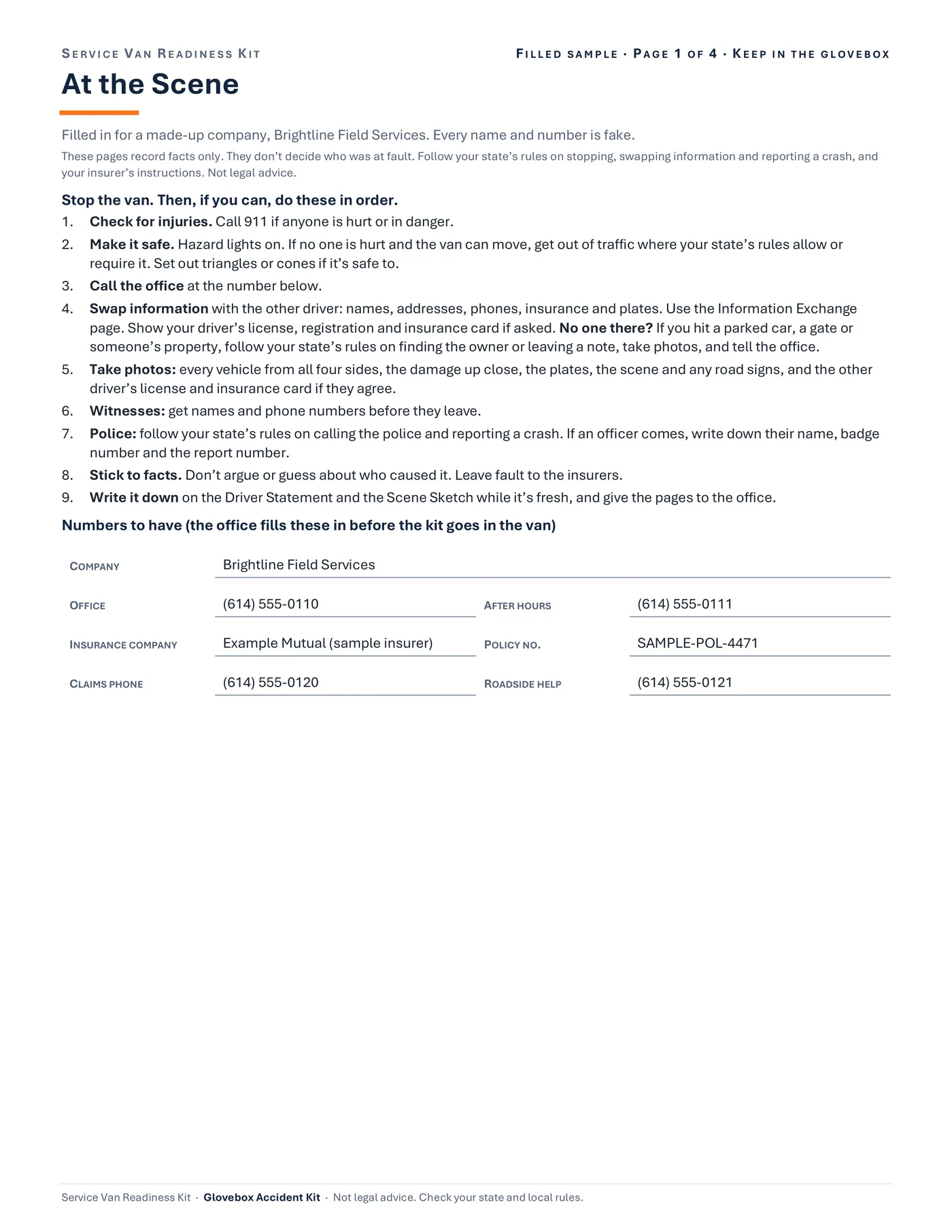
FILLED SAMPLE · PAGE 1 OF 4 · KEEP IN THE GLOVEBOX
At the Scene
Sample data
- 1Check for injuries.
- 2Make it safe.
- 3Call the office at the number below.
- 4Swap information with the other driver
- 5Take photos
- 6Witnesses
- 7Police
- 8Stick to facts.
- 9Write it down
Numbers to have
- OFFICE
- (614) 555-0110
- CLAIMS PHONE
- (614) 555-0120
Step 3. Put a Glovebox Accident Kit in each van.
Write your office's and insurer's numbers on its first page.
Glovebox Accident Kit (4 pages): At the Scene steps, an Information Exchange page (the other driver, or the owner of what was hit), a Driver Statement and a Scene Sketch page on grid paper.
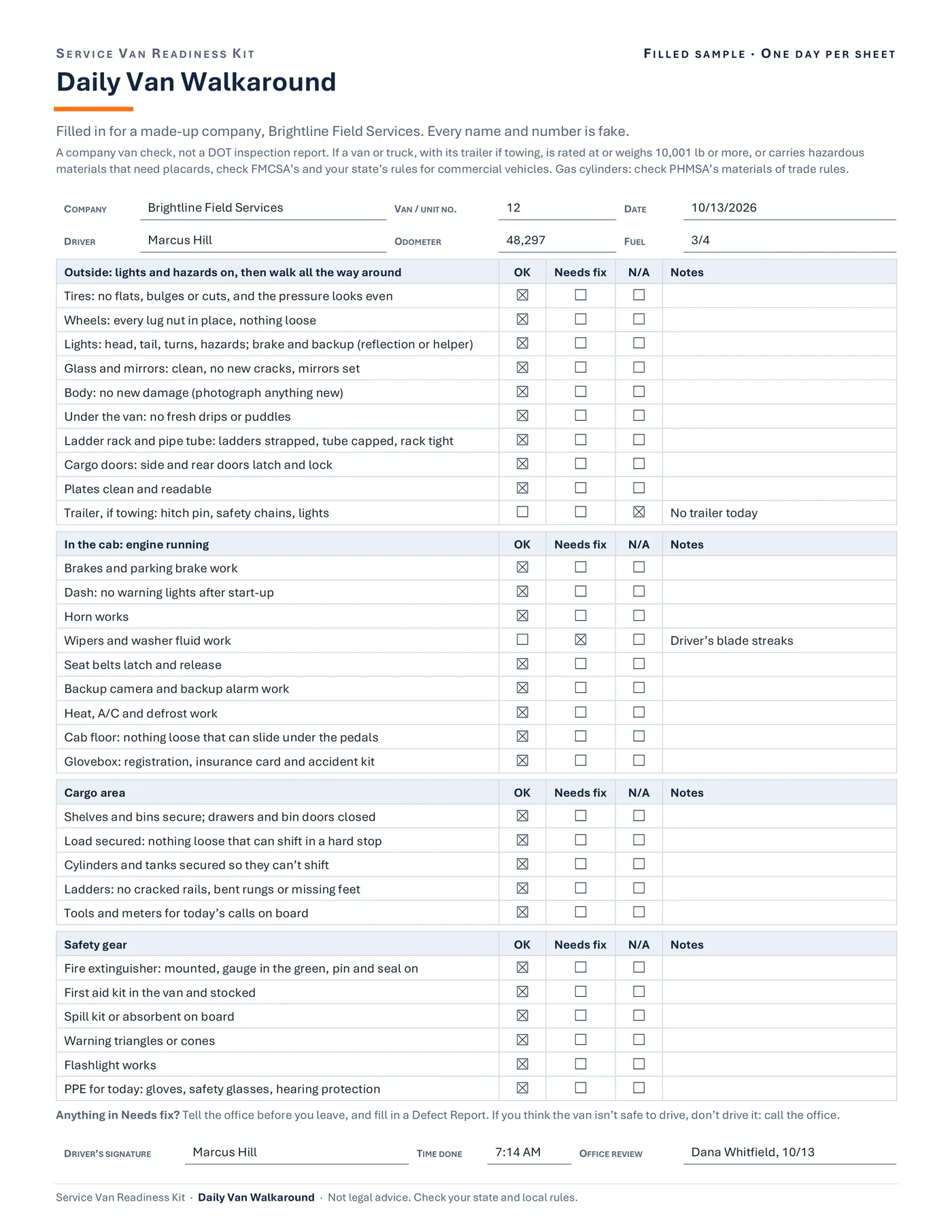
FILLED SAMPLE · ONE DAY PER SHEET
Daily Van Walkaround
Sample data
- VAN / UNIT NO.
- 12
- DATE
- 10/13/2026
- TiresOK
- WheelsOK
- LightsOK
- Glass and mirrorsOK
- Trailer, if towingNo trailer todayN/A
- Horn worksOK
- Wipers and washer fluid workDriver’s blade streaksNeeds fix
Step 4. Drivers do the Daily Van Walkaround before the first call.
The office or a lead tech does the Monthly Van Inspection.
The Daily Van Walkaround, filled in for a made-up company: 30 checks before the first call, each OK, Needs fix or N/A, on a one-day sheet.
FILLED SAMPLE · ONE SHEET PER PROBLEM
Defect Report and Repair Sign-Off
Sample data
1. The driver reports it
- WHAT’S WRONG
- Driver’s side wiper blade streaks across my view.
2. The office decides
Keep driving until the repairParked until fixed (keys tagged)Swap to a spare van
3. The repair
- WORK DONE
- Replaced both wiper blades and topped up the washer fluid.
4. Back in service
- Checked: the problem is fixed
- Driver told the van is fixed
Step 5. Anything that needs fixing goes on a Defect Report.
The van is checked before it goes back out.
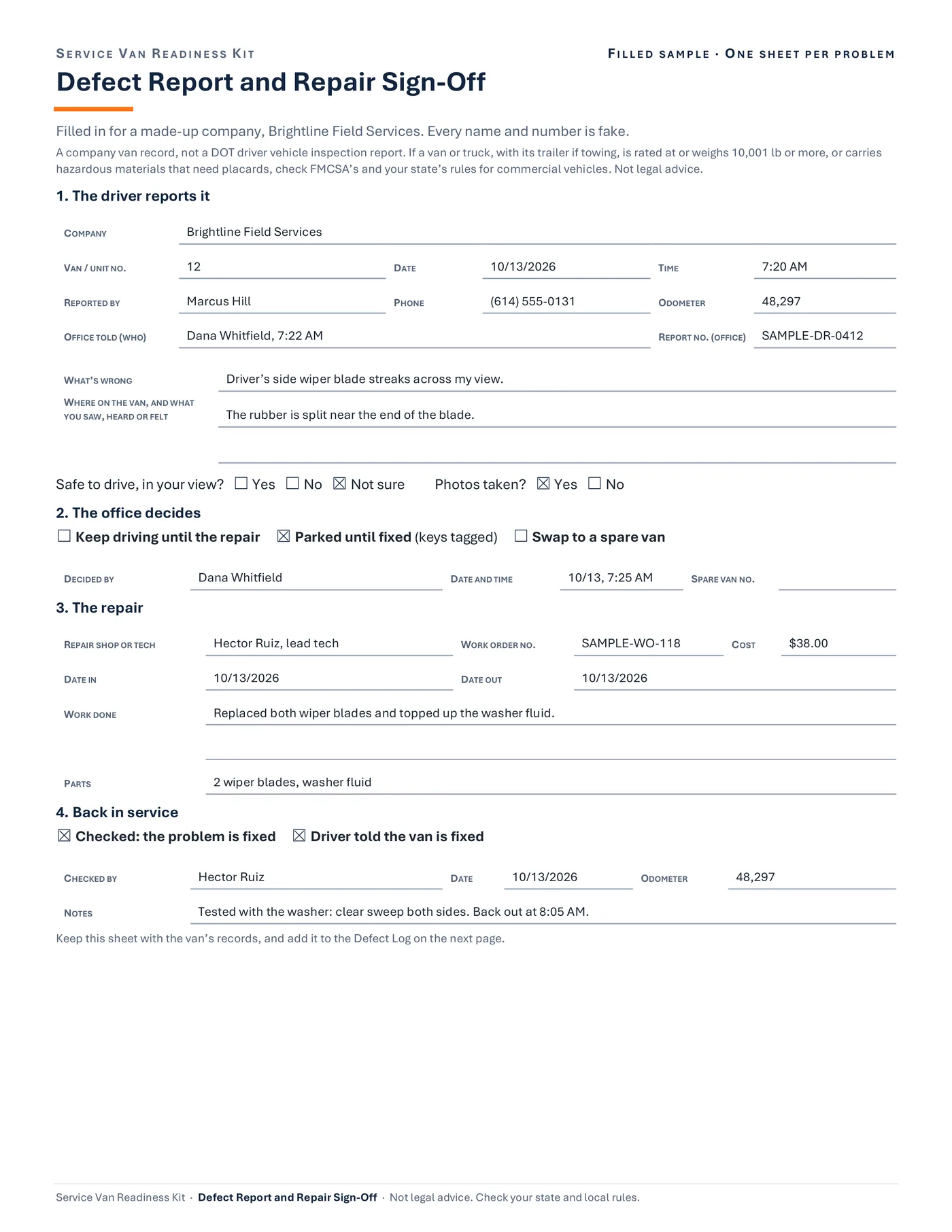
The Defect Report and Repair Sign-Off, filled in: the driver reports it, the office decides to keep driving, park or swap the van, the repair is written down, and it is checked before the van goes back out.
Drawn from the sample data in the file. Each step links to the real screen. Made-up data only, in every file and every image.
What's included
- Daily Van Walkaround: 30 checks before the first call (tires, lights, ladder rack and pipe tube, cargo, cylinders and tanks, fire extinguisher, first aid and spill kits, PPE), each marked OK, Needs fix or N/A. Two versions: all 30 checks on a one-day sheet, or 17 shorter checks by day on a one-week sheet.
- Monthly Van Inspection (2 pages): tire tread and pressure, under the hood, brakes and cab, body and cargo area, safety gear, and paperwork, including open recalls checked by VIN.
- Defect Report and Repair Sign-Off: the driver reports it, the office decides (keep driving, park it or swap vans), the repair is written down, and the van is checked before it goes back out. Plus a Defect Log page.
- Vehicle Assignment Record: who drives which van, the driver's license on file, the handover and the return. Plus a Van Roster page.
- Glovebox Accident Kit (4 pages): At the Scene steps, an Information Exchange page (the other driver, or the owner of what was hit), a Driver Statement and a Scene Sketch page on grid paper.
- Accident Office Follow-Up: the office's checklist after an accident, from the claim number to the van back in service.
- Tool and Equipment Issue and Return: sign tools and meters out and back in, one sheet per tech.
- Filled Samples (PDF, 14 pages): every form filled in for a made-up company.
- A one-page Quick Start PDF and a start-here text file.
Before you buy
- To print: a PDF reader and a printer. Letter size (8.5 x 11 in).
- To edit: Microsoft Word (.docx). Exported and checked page by page in Word for Microsoft 365 on Windows.
- Not tested yet in Word for Mac, Word for the web, or Word 2021 and older.
- Not tested in Google Docs, Apple Pages, or LibreOffice. They may open the Word files, but the layout can shift.
- No macros. Plain Word files and PDFs.
- Delivered as one .zip file. Unzip it first. Digital download; nothing is shipped.
A person makes every decision
These are workflow and organizing forms, not legal advice. A person decides whether a van is safe to drive, when it goes back into service, and what happens after an accident. The accident pages record facts and don't decide fault: follow your state's rules on reporting a crash, and your insurer's instructions. The tool sheet records who has what. No form in the kit takes the cost of a lost tool or of van damage out of anyone's pay, since federal and state wage rules limit pay deductions. Check your state and local rules.
Questions
Is this a DOT inspection report?
No. It's a company van check. Federal (FMCSA) and state rules for commercial vehicles may apply to a van or truck that, with its trailer if towing, is rated at or weighs 10,001 lb or more, or that carries hazardous materials in amounts that need placards. Those rules have their own driver inspection reports, which can reach a trades company that runs two or more such vehicles. Check fmcsa.dot.gov and your state's rules.
Can I change the checklist items?
Yes. Open the Word files and change any line to fit your vans and your company's rules; a longer line wraps and its row grows. The one-day walkaround fills its page, so to add a check there, replace one. The PDFs print as they are.
Where does my company name go?
Every form has a Company box at the top. Write it in by hand, or type it into the Word files before you print. Please leave the footer as it is.
Do the accident pages tell drivers who was at fault?
No. They record facts: what happened, the other driver's information, witnesses, photos and a sketch. Fault is left to the insurers, who use the police report.
Does it work in Google Docs or on a Mac?
The PDFs print from any PDF reader. The Word files were exported and checked page by page in Word for Microsoft 365 on Windows. We haven't tested Word for Mac, Word for the web, Google Docs, Apple Pages or LibreOffice yet.
Related tool
Field Tech Hiring System Tracker
Track every applicant in the Field Tech Hiring System Tracker, an Excel hiring tracker you fill in by hand, with a driver's license check for roles that drive a company vehicle.
See this tool$19.00